

The Punjab School Education Department has officially launched the Teacher Transfer & Posting System 2025, allowing all government school teachers to apply for transfers, check posting status, verify merit ranking, and download final transfer orders completely online via the SIS (School Information System) portal and mobile app.
This initiative ensures a transparent, merit-based, and corruption-free teacher transfer process, eliminating manual files, physical visits, and reference-based postings. Every application is processed through digital records, verified documents, and automated priority rules.
Objectives of the SIS Transfer System
The main purpose of the SIS transfer system is to bring transparency and fairness in the posting of teachers:
Transparent & merit-based transfers
Elimination of manual applications & favoritism
Equal opportunity for all teachers
Digital verification of records
Reduction in school staffing imbalance
Convenience for female teachers & remote-area staff
This system has significantly improved teacher satisfaction & school performance across Punjab.
Eligibility — Who Can Apply?
| Category | Eligibility |
|---|---|
| PST / EST / SST | Yes |
| Male & Female Teachers | Yes |
| Regular Govt Teachers | Yes |
| Contract Teachers | Based on policy cycle |
| All Teaching Cadre (SESE, SSE etc.) | Yes |
Priority Transfer Categories
Priority cases are processed first:
| Category | Required Proof |
|---|---|
| Medical Grounds | Govt Medical Board Certificate |
| Marriage / Spouse Posting | Nikah Nama + Spouse Service Proof |
| Widow Cases | Husband’s Death Certificate |
| Divorce Cases | Court Verified Divorce Decree |
| Disability | Govt Disability Certificate |
| Female Safety / Distance | Supporting evidence & application |
False documents = automatic blacklisting & legal action.
Required Documents (Scanned & Clear)
- CNIC
- Teacher SIS Profile / Personnel Record
- Service Book (Relevant Pages)
- Posting / Joining Orders
- Latest Service Certificate
- Category-based supporting documents
- School Head / Authority verification (if asked later)
Tip: Upload clear scanned copies — blurry images may cause rejection.
How to Apply Online — Step-By-Step
Open SIS App or Website
Login with CNIC & password
Update profile & verify details
Open Transfer Request section
Select your preferred school stations
Choose transfer category (General / Priority)
Upload required documents
Submit application
Track progress in the app dashboard
System automatically moves your application to relevant authorities.
Application Processing Stages
| Stage | Status |
|---|---|
| Application Submitted | ✅ |
| Document Review | In Progress |
| District Verification | Pending / Approved |
| Merit System Evaluation | Running |
| Final Approval | ✅ Issued / ❌ Rejected |
| Download Transfer Order | Available in App |
After Approval — Joining Instructions
Once your transfer order is approved:
Download PDF Transfer Order from SIS
Report to new school within given time
Get joining remarks updated in SIS by school head
No need to visit offices before approval — process is online.
Important Notes
Fake / altered documents = blacklisting
Late submissions not accepted
Server may be busy near deadline — apply early
Always cross-check school codes before submitting
Why This System Matters
This reform ensures:
Fair teacher deployment
Less travel burden for female staff
Balanced teacher availability in rural & urban schools
Modern e-governance in Punjab Education System
The system has proven to be transparent, reliable, and teacher-friendly, improving both education delivery & school management.
Also check: SIS Punjab Portal 2025 – Teacher Rationalization & Transfer Update
Official Links
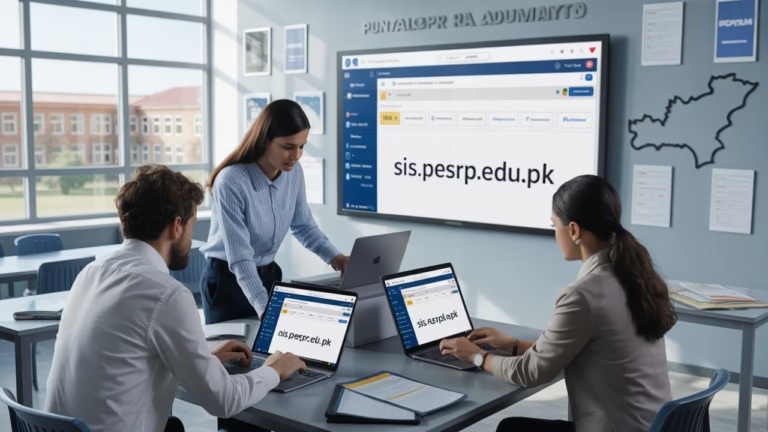
SIS Portal: sis.pesrp.edu.pk
Android App: School Information System — Punjab
Stay Connected for More
Follow us for:
Latest Punjab Education Updates
SIS Transfer Guides
Government Job Alerts
Training & Posting Notifications



One Comment