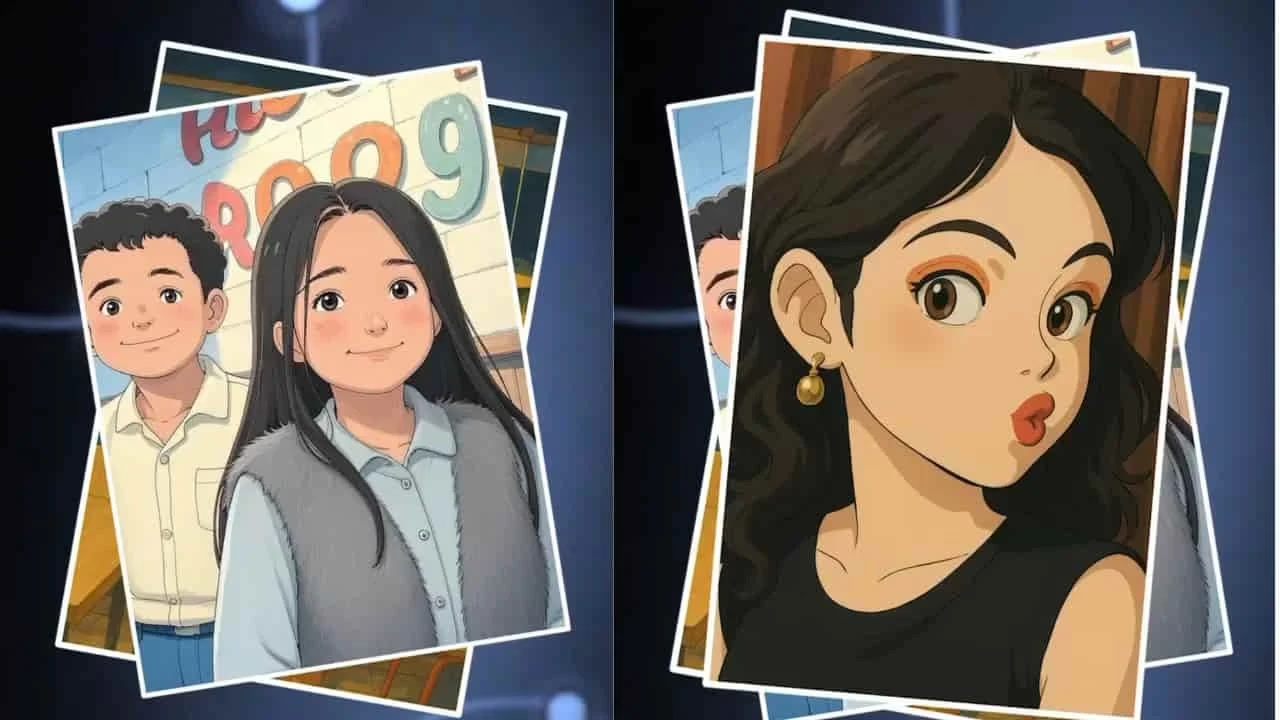
Studio Ghibli films have captured hearts around the world with their dreamy, hand-crafted style, filled with wonder, soft characters, and lush natural backgrounds. Thanks to modern AI tools, you don’t need to be a professional artist to create artwork inspired by Ghibli. With the right approach, you can turn your photos or ideas into magical Ghibli-style illustrations in just a few steps.
1. Learn the Ghibli Aesthetic
Before creating AI art, it’s important to understand what makes Ghibli’s style so enchanting.
- Characters: Gentle, rounded features with expressive, childlike emotions.
- Backgrounds: Richly detailed, nature-heavy scenes like forests, rivers, and traditional towns.
- Colors: Warm, earthy tones such as greens, yellows, browns, and soft blues.
- Atmosphere: A dreamy mix of reality and fantasy, often with a nostalgic or magical feeling.
Keeping these elements in mind will help guide your AI prompts and make the output look closer to real Ghibli art.
2. Choose the Right AI Generator
Not all AI tools are built the same—some work better for Ghibli-inspired images. Popular choices include:
- DALL·E: Turns text prompts into detailed images. You can directly request a “Studio Ghibli art style” scene.
- MidJourney: Widely used by digital artists; capable of producing highly artistic, fantasy-like visuals with strong Ghibli vibes.
- Stable Diffusion: Open-source and customizable, giving you more control over fine-tuning the style.
Each tool has different features, so experiment to see which one gives results closest to your vision.
Upload Your Photo
Preview:
3. Craft the Perfect Prompt
AI tools rely heavily on prompts—the better your description, the better the output. Be as specific as possible.
What to include in a Ghibli-style prompt:
- Character details: Example: “A curious boy with messy hair, holding a lantern.”
- Scene setting: Example: “Standing by a quiet river in a lush green forest, with glowing fireflies.”
- Colors and mood: Example: “Soft, warm tones with a dreamy, magical atmosphere.”
The more detailed your instructions, the closer your image will look like a Ghibli frame.
4. Refine and Edit the Image
Once the AI generates an image, you may want to make adjustments. Most platforms allow you to:
- Re-run the prompt with small changes.
- Ask for brighter lighting or softer tones.
- Add or remove specific details like “more flowers,” “sunset colors,” or “calm water.”
This step is like polishing—small tweaks can make your art feel more magical and authentic.
5. Use AI Art Responsibly
AI art is powerful, but it comes with responsibility. Always check the platform’s licensing rules before using, selling, or sharing AI-generated images. Some platforms may have restrictions on commercial use.
Respect the original creators—Ghibli’s style is iconic, so while you can be inspired by it, avoid presenting AI works as official Ghibli art.
Conclusion
Creating Ghibli-style AI images is an exciting way to blend technology with imagination. By understanding the Ghibli aesthetic, choosing the right AI tool, writing thoughtful prompts, and refining your results, you can produce artwork that feels straight out of a Studio Ghibli film.
With practice, you’ll not only learn how to guide AI more effectively but also develop your own unique creative spin on the whimsical, nature-filled worlds inspired by Ghibli.